App Logo

Infinite™ HMI Mobile

Remote Monitoring of Automated Systems

Infinite™ HMI Mobile (I-HMI Mobile) is a mobile application that allows real-time monitoring of the system through the server’s API (Infinite™ HMI Extender (I-HMI Extender) and Infinite™ Server Connect (I-SC)), connecting only through secure Cloudflare authentication. From compatible mobile devices (iOS and Android), users can see critical indicators, alarms, active job status, and other key metrics published by the I-HMI Extender, enabling fast and remote supervision without needing to be in front of the physical HMI panel.

I-HMI Mobile connects to servers that have been configured for remote access through DPPS Infinite infrastructure and authorized Cloudflare tunnels. Each user logs in with their company account and only sees the servers that have been explicitly enabled for their role and permissions. This approach improves security and simplifies connectivity, especially when systems are geographically distributed or accessed by remote support teams.

The Infinite™ HMI Web (I-HMI Web) application running on the industrial server remains the single source of truth. I-HMI Extender decides what information is published to I-HMI Mobile, and at what level of detail. If the owner company considers it a risk to share information about the status of the automated system, they can partially or completely disable the publishing services directly on the server where I-HMI Extender is installed.

Key Benefits & Capabilities
  • Access and Connectivity:
    • Enables mobile access from personal devices to industrial automation systems through the I-HMI Extender API.
    • Connections are established through secure HTTPS endpoints, typically exposed via Cloudflare tunnels dedicated to each customer or facility.
    • Removes the limitations of local Wi-Fi discovery by using authenticated, internet-based connectivity controlled by your company.
  • Real-Time Monitoring:
    • Provides real-time information from Human-Machine Interfaces (HMI) and PLC readings.
    • Offers visibility into the status of robots, secondary components, and recipe statistics by station.
    • Provides immediate visibility of machine issues, process anomalies, and production status, depending on what the HMI system publishes.
  • Interface and Usability:
    • User-friendly interface design and intuitive navigation.
    • Compatible with English and Spanish to extend team accessibility inside your facility.
    • Offers a historical reporting module adaptable to each user's needs (when enabled by the HMI system).

With I-HMI Mobile, companies enhance their system flexibility and the ability to respond to incidents without physical contact with the equipment; operators and managers can make faster decisions based on accurate, up-to-date data shared from their I-HMI Web. Reduce downtime, optimize daily workflows, and promote consistency among stakeholders in production processes with a secure mobile extension.

Visit the DePeuter Packaging Solutions website to explore the full “Infinite™ Industrial Automation Suite” ecosystem and discover how I-HMI Mobile can take your operations to the next level.

Privacy Policy

Effective Date: September 22, 2025

Overview

This Privacy Policy describes how I-HMI Mobile handles your information when you use it. The owner company of each Industrial I-HMI Web providing the data to be consumed by the app always reserves the right and power to enable or disable the network connection available from its server, as well as the availability of the information publishing services of their own automation system.

Information We Collect

We do not collect, store, or share any personal information from users of I-HMI Mobile. However, if log in is required to connect to certain servers for safety or security reasons, the credential info and company relationship will be shared for verification purposes only, as part of the authentication flow defined by your organization and DPPS.

Usage Data

The I-HMI Mobile does not collect any usage data or analytics.

Cookies

The I-HMI Mobile does not use cookies or similar tracking technologies.

Third-Party Services

The I-HMI Mobile uses secure communication channels (for example, Cloudflare tunnels) to reach your company’s servers, but it does not directly share personal data with third-party services for marketing or analytics purposes.

Children’s Privacy

The I-HMI Mobile is not intended for use by children under the age of 13. If we become aware we’ve collected personal data from a child, we will delete it.

Changes to This Privacy Policy

We may update this Privacy Policy from time to time. We will notify you of any changes by posting the new policy on this page.

Contact Us

If you have questions about this Privacy Policy, please contact us:

Email: itsupport@depeuter.com

Terms & Conditions

Last updated: September 22, 2025

These Terms and Conditions constitute a legally binding agreement between you, the End-User, and DePeuter Packaging Solutions (DPPS) for the use of the I-HMI Mobile. This software is part of the Infinite™ Industrial Automation Suite and serves as the mobile extension of the I-HMI Web. The mobile app allows authenticated users to remotely visualize the information published by the I-HMI Web.

I-HMI Mobile operates exclusively by consuming data made available by the I-HMI Web, as long as the server hosting I-HMI Web is correctly configured to publish information through the I-HMI Extender (or equivalent DPPS-approved API service). For I-HMI Mobile to function properly, the following conditions must be met:

  • There is an available and secure internet connection between the mobile device running I-HMI Mobile and the server hosting the I-HMI Web, typically through a DPPS-authorized Cloudflare tunnel or a similarly secure HTTPS endpoint.
  • The server hosting I-HMI Web has I-HMI Extender and I-SC installed and their API services enabled and reachable.
  • The I-HMI Web system is running normally and actively publishing the information intended for visualization in I-HMI Mobile.
  • The installed version of I-HMI Mobile is up-to-date and the authentication and permission rules configured by your organization allow access to the selected server.

By accessing or using I-HMI Mobile, you agree to be bound by these Terms and Conditions. If you do not agree, you may not use the software.

Disclaimer of Warranty

I-HMI Mobile is provided “as is” and “as available,” without warranties of any kind, either express or implied, including but not limited to warranties of merchantability, fitness for a particular purpose, and non-infringement.

Limitation of Liability

To the maximum extent permitted by applicable law, DPPS and its developers shall not be liable for any indirect, incidental, special, consequential, or punitive damages, nor any loss of profits, data, or goodwill arising from the use of or inability to use I-HMI Mobile.

No Obligation of Support

DPPS is not obligated to provide maintenance, updates, or technical support for I-HMI Mobile. Any request to modify the data displayed in the app must be made to adjust the configuration of the I-HMI Web or its publishing layer I-HMI Extender, as the mobile app only displays the information published by the server.

Responsibility of Use

You are solely responsible for ensuring that the information published by your organization's I-HMI Web is correct. I-HMI Mobile depends entirely on the data provided by that system. DPPS is not responsible for inaccuracies or malfunctions caused by outdated configurations, missing maintenance, or incorrectly published data.

Intellectual Property

All assets, source code, and content within I-HMI Mobile remain the intellectual property of DPPS and its authors. Any modification or redistribution must credit DPPS and clearly indicate that it is not the original version.

Governing Law

These Terms are governed by the laws of the State of Texas, USA. Any dispute arising from these Terms shall be resolved exclusively in the courts of Harris County, Texas.

Electronic Agreement

By installing and using I-HMI Mobile, you acknowledge and agree to these Terms and waive any defense related to the electronic form of this agreement.

Severability

If any provision of these Terms is found invalid or unenforceable, the remaining provisions shall remain in full force and effect.

Infinite™ HMI Mobile Help

I-HMI Mobile Revision: 1.2.0

System Info

  • Copyright © 2025 - Depeuter Packaging Solutions. I-HMI Mobile – DPPS. All rights reserved.
  • Logo, icons and images are licensed under a Creative Commons Attribution license.
  • Made with React Native and JavaScript by DPPS developers.

I-HMI Mobile provides real-time insights from Human Machine Interfaces and PLC readings to monitor robot operations, secondary components, and recipe statistics per workstation.

Main Screens

The app is organized into three main areas. The third one (Live Screen) is flexible and adapts to the structure/data that the industrial system publishes through I-HMI Extender.

Login Screen

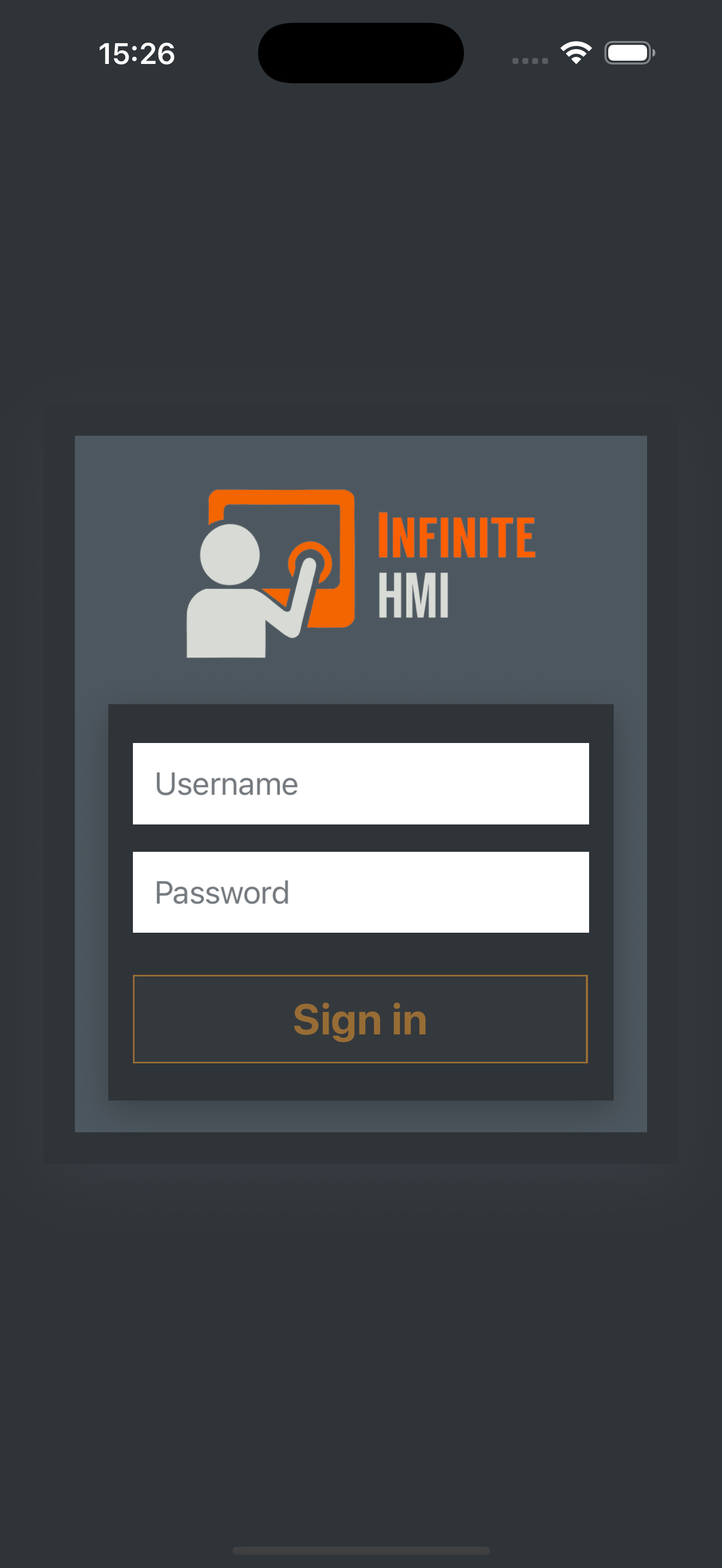
This is the first screen displayed when opening I-HMI Mobile. Users authenticate using the company account associated with the Infinite™ Industrial Automation Suite. Once authenticated, the app securely retrieves the list of servers enabled for the user or their company via DPPS-managed Cloudflare tunnels. The login flow ensures that only authorized users can view or monitor active industrial systems.

Login Screen sample
Home Screen

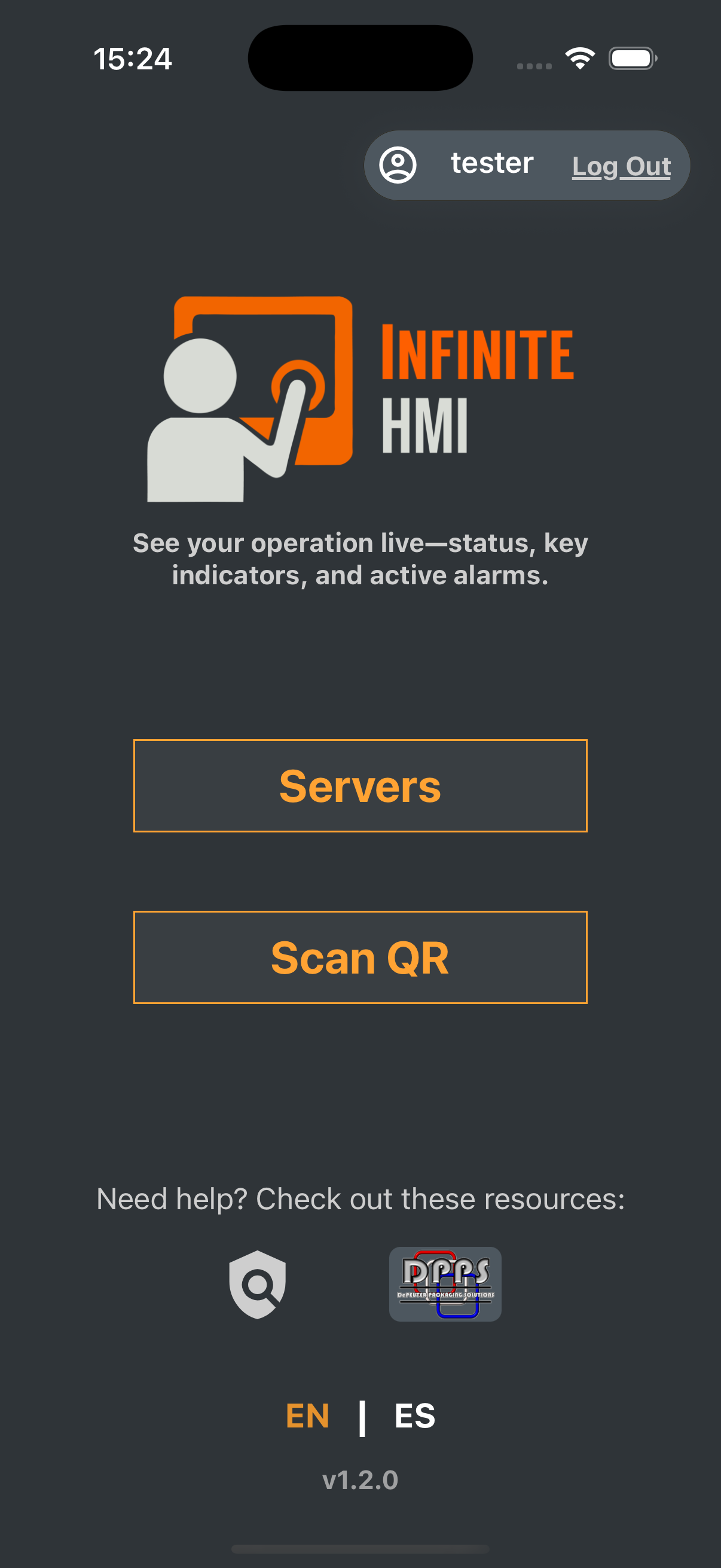
After signing in, the Home Screen provides access to the list of available servers, Help & Legal resources, language selection (English/Spanish), and the optional QR Scan function when provided by the industrial site. This screen displays the updated I-HMI Mobile branding and serves as the primary navigation hub.

Home Screen sample
Servers Screen

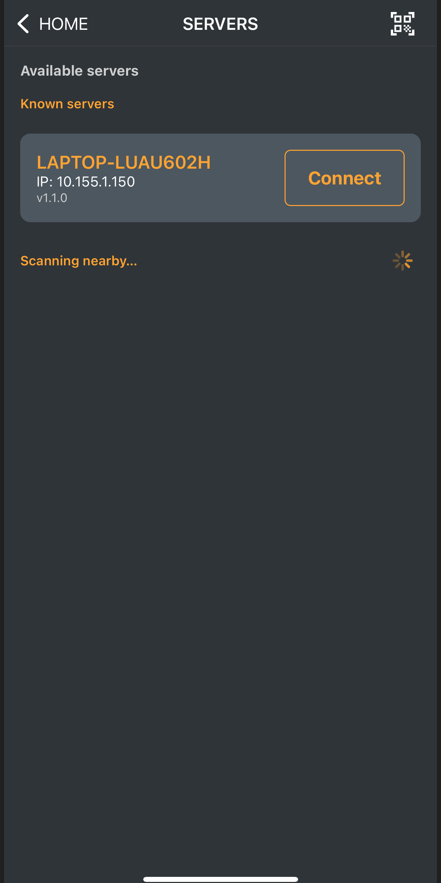
Displays the servers authorized for the logged-in user. These servers are configured on the industrial side and securely exposed through Cloudflare tunnels managed within the Infinite™ Industrial Automation Suite. From this screen, users choose which system to monitor, loading its real-time data into the Live Screen.

Servers list sample
Scan QR

Opens the camera to scan the QR code optionally provided by DPPS during commissioning. The QR contains the server information associated with your authorized Cloudflare tunnel and allows quick access to a server already linked to your account.

Live Screen

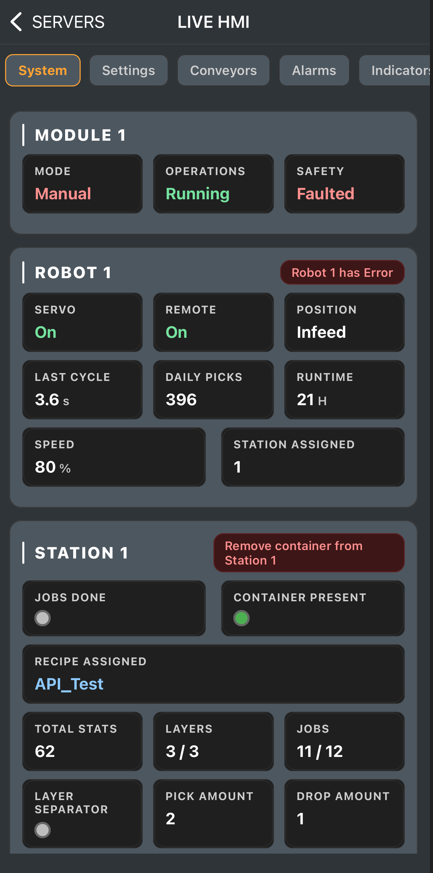
This screen is data-driven: its cards/indicators and layout depend on the system type, the data structure, and what the Industrial Automation System decides to share through I-HMI Extender. I-HMI Mobile provides base cards and primitive indicators to render that data.

Live Screen overview

Content Types

Depending on what the I-HMI Web and I-HMI Extender expose, you may see specialized pages/sections:

  • System: Status of general operations per module, robot information, and workstation results.
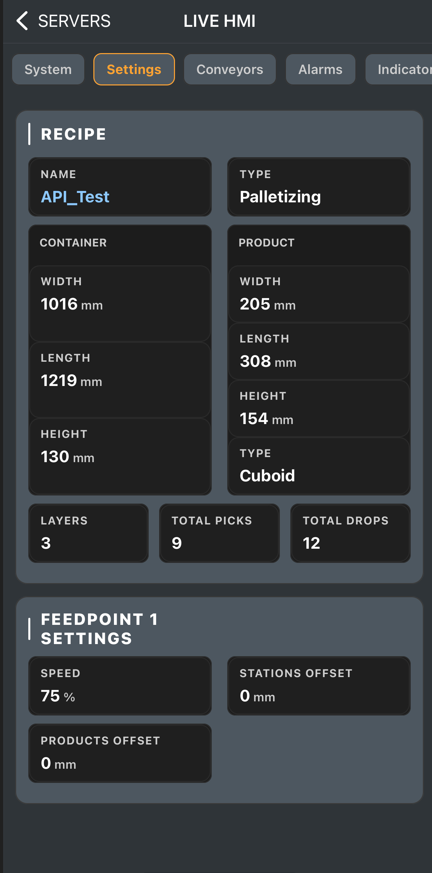
  • Settings: Recipes selection/description and configuration like speeds, offsets, and other job/component settings.
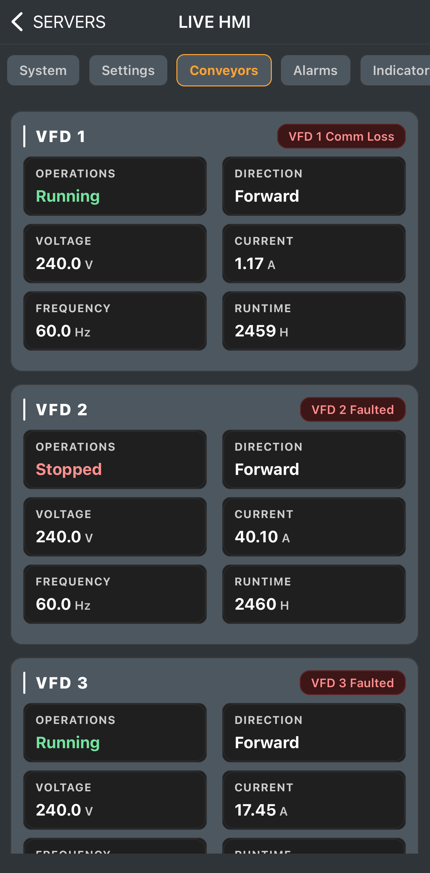
  • Conveyors: VFD status and operations per conveyor, including frequency, voltage, etc.
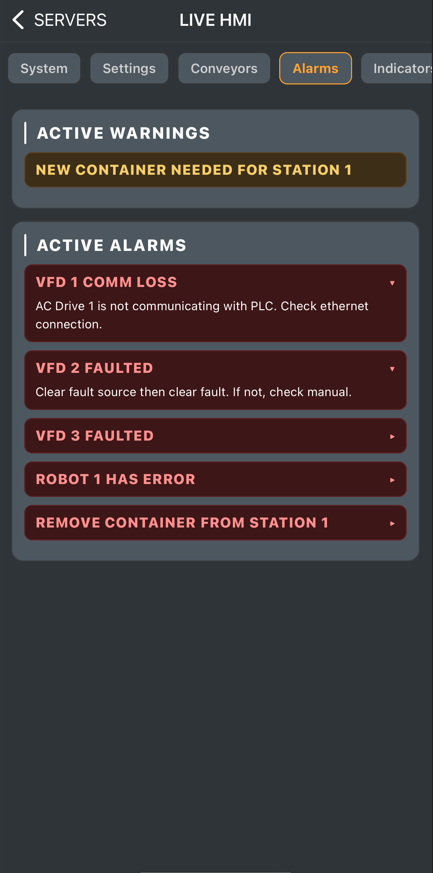
  • Alarms: List of active alarms with descriptions to quickly identify issues.
  • Indicators: Extra signals (photoeyes/sensors) to visualize product/pallet workflow.
  • Reports: Production summary per station or per recipe within a specified timeframe.
System page sample
Settings page sample
Conveyors page sample
Alarms page sample